“Request For Proposal” scam
Est. reading time 3 minutes
“Request for Proposal” Scam
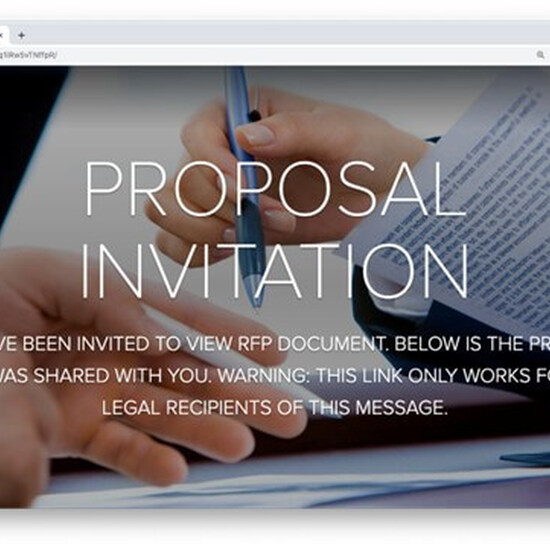
Recently, several Friendly Giant customers began receiving emails with fake “requests for proposal” (RFPs). These supposed RFPs came from recipients’ legitimate contacts, but those accounts had been compromised by bad actors. In this case, phishers were staging their forays from Adobe Spark, a cloud-based design application that allows users to create and share content. The goal of the ruse was to harvest recipients’ credentials.
This exploit made use of several known tactics, combined in a new way. The phishing attempts were sent from known-to-the-recipient but compromised accounts.
Attack Overview
- Type: phishing
- Vector: email, Adobe Spark site
- Payload: malicious link
- Techniques: account takeover and abuse of Adobe platform, followed by credential harvesting
- Platform: Office365 (including users protected by Microsoft 365 Defender, formerly known as Advanced Threat Protection or ATP)
- Target: contacts of hijacked accounts
Each of these fake RFP emails was slightly different, but they all invited recipients to submit proposals on Adobe Spark via blue hyperlinks. Clicking the link would take the victim to a customized document on Adobe Spark. If the target was sophisticated enough, they might have hovered over the white “VIEW RFP DOCUMENT” button and seen the malicious link:
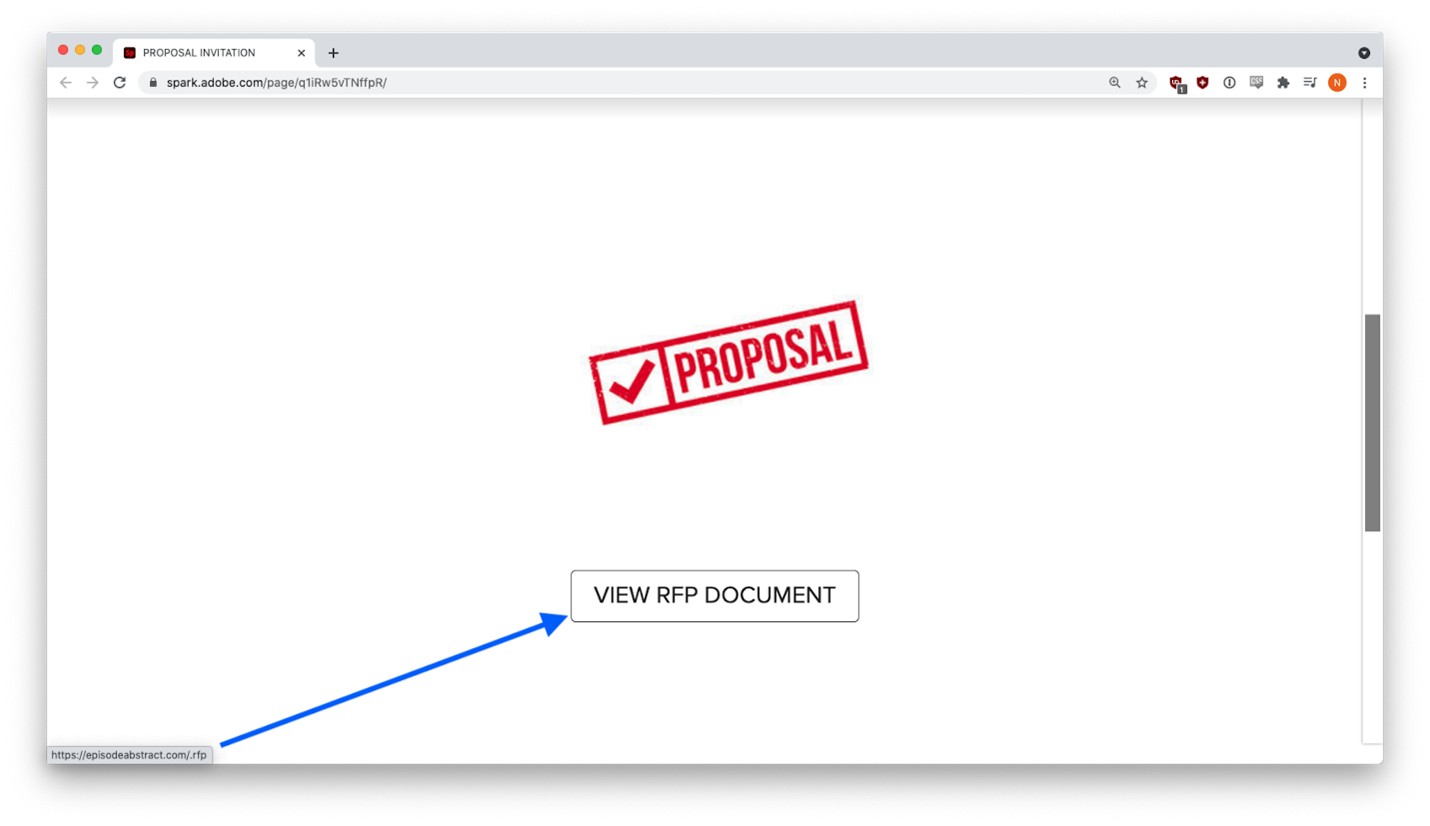
(hxxps://episodeabstract[.]com/.rfp)
It turns out, episodeabstract[.]com was a recently created domain controlled by the phisher.
And the malicious link appeared in several threat intelligence feeds. By placing it on Adobe Spark, the phisher avoided detection because the only link that appeared in the phishing email was a reputable spark.adobe.com URL that most email security vendors view as safe. The malicious link went to a phishing site that impersonated Adobe.
The user was prompted to sign in with their email credentials to view the document.
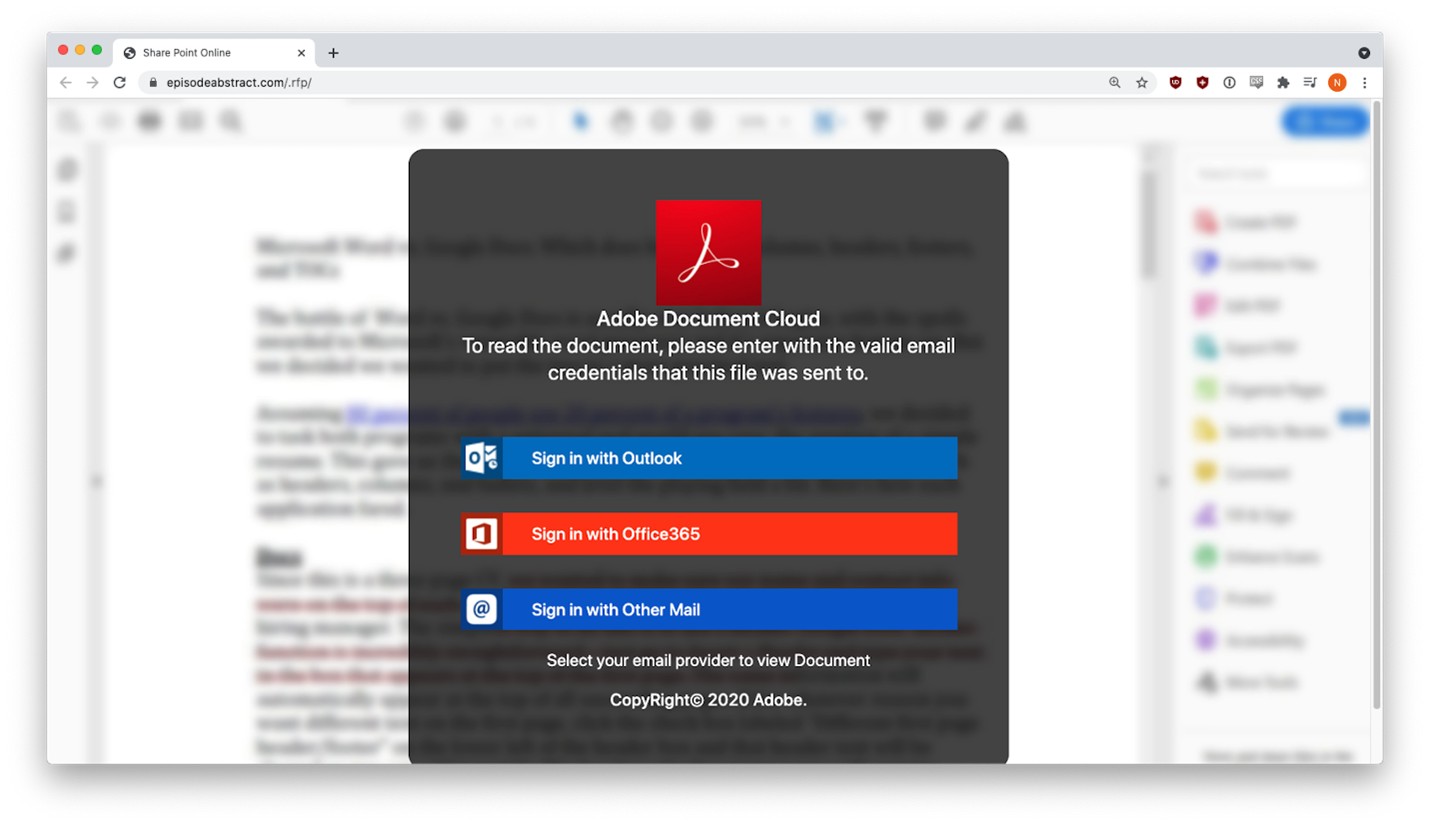
Three different credential harvesting forms appeared, depending on the email provider selected.
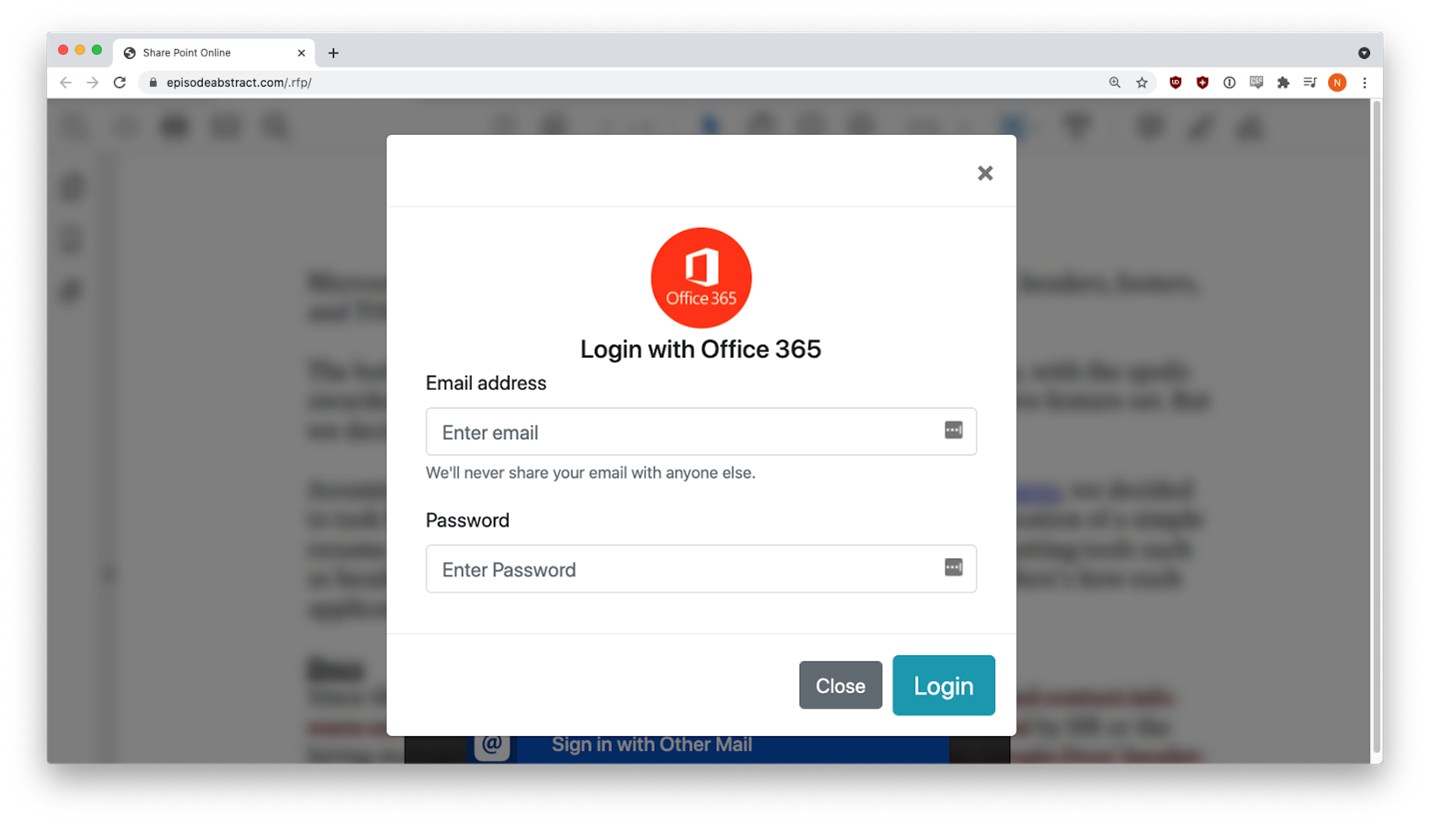
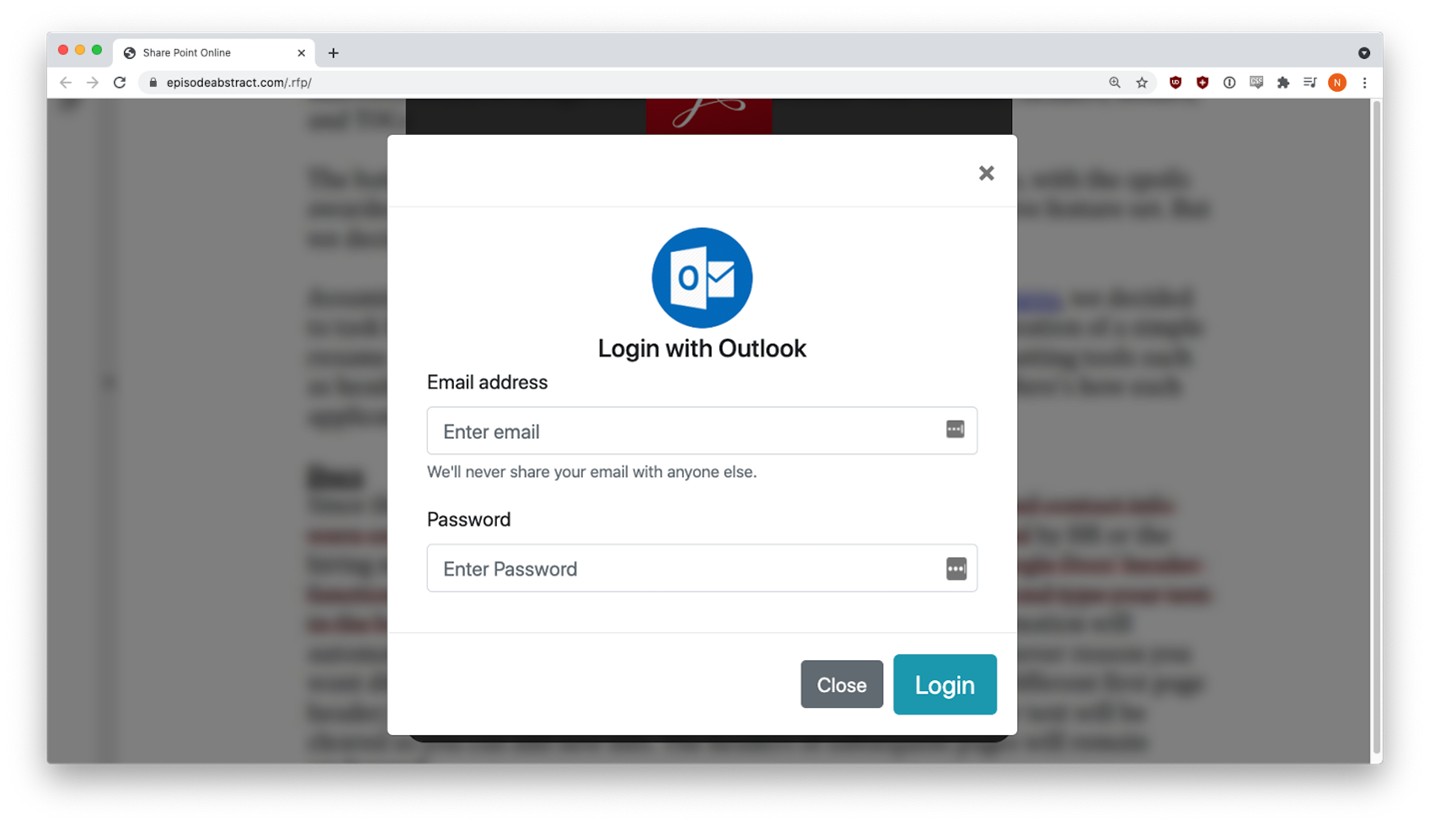
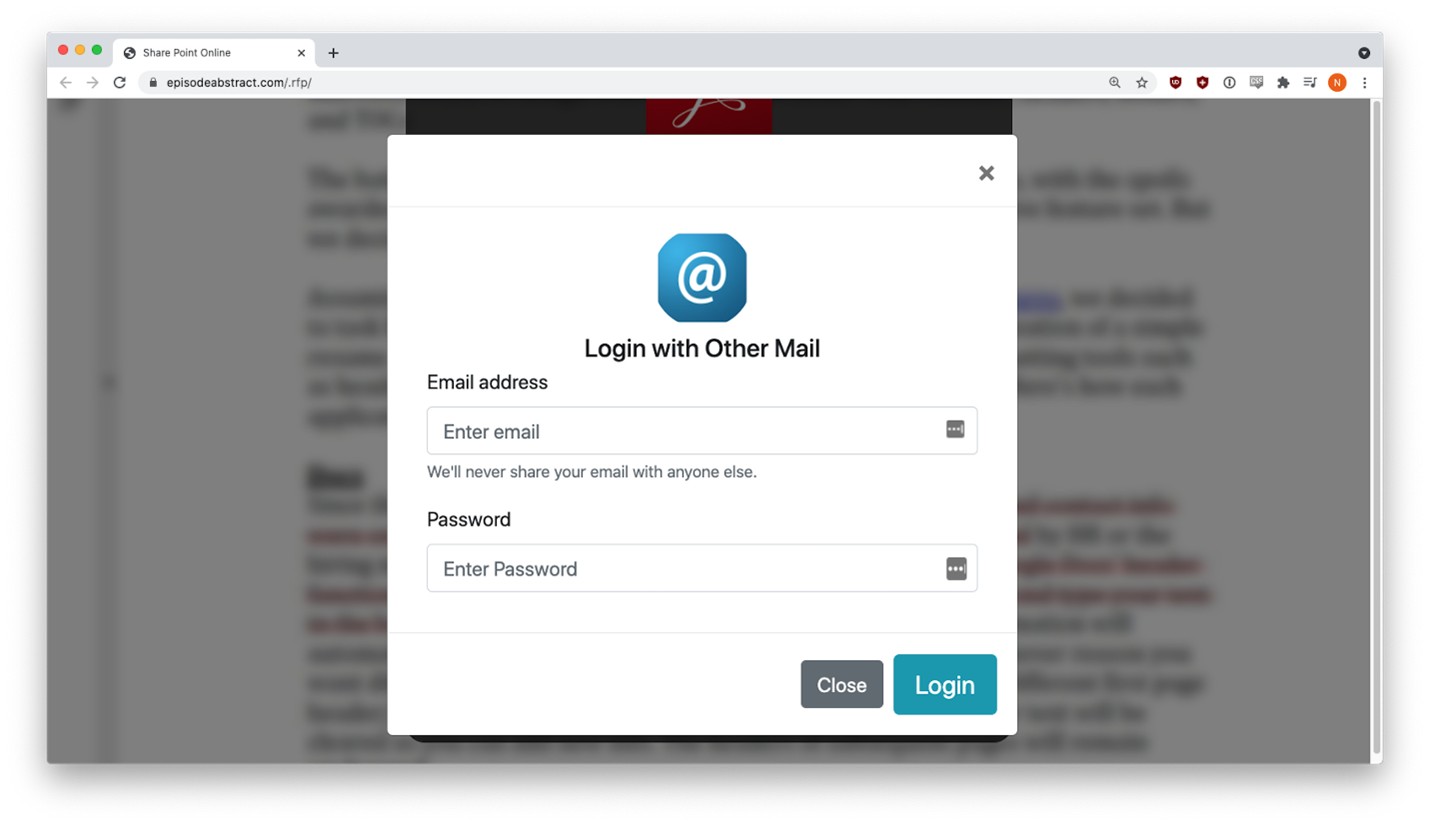
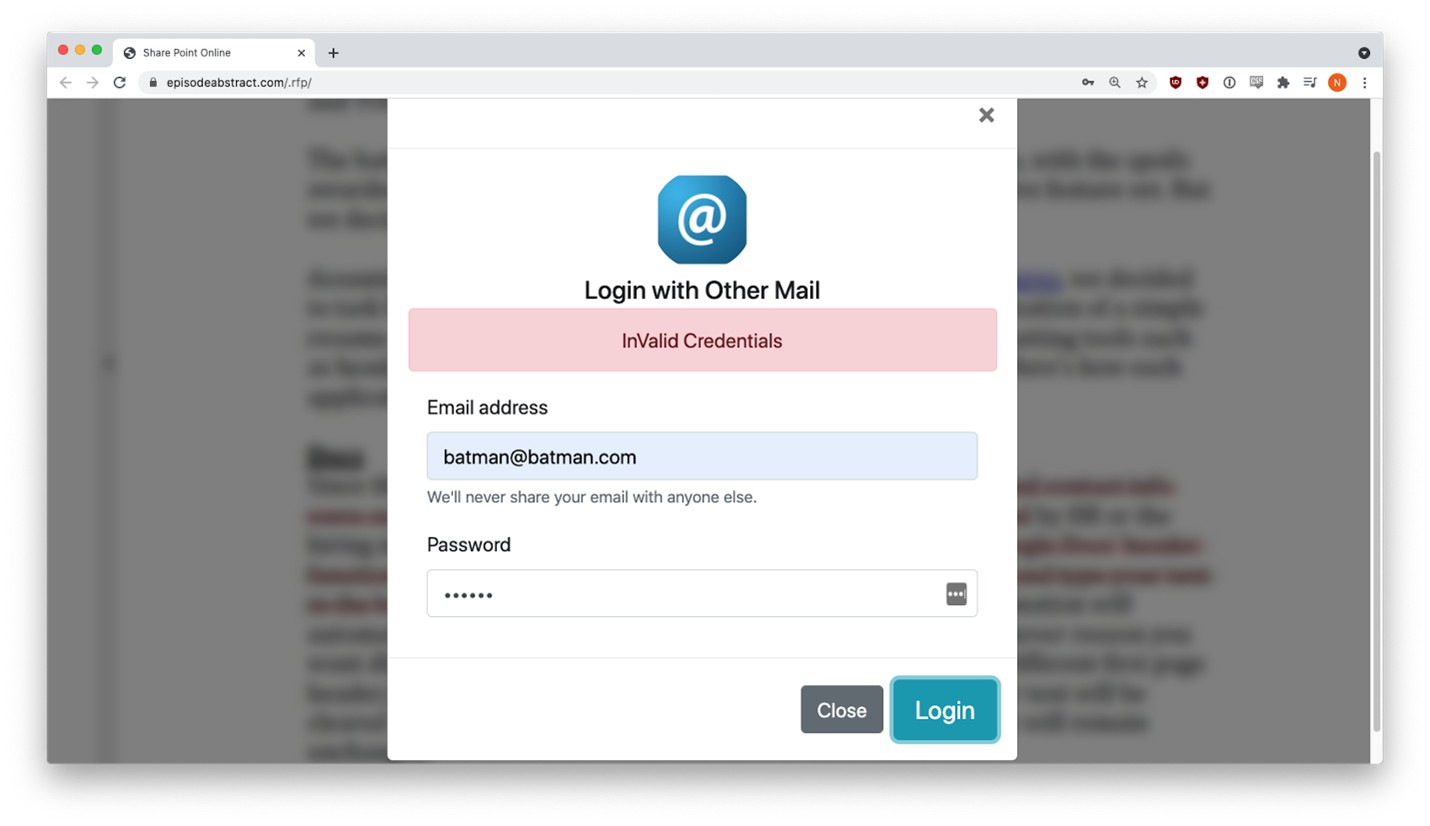
Users got a fake error message the first time they entered credentials, but behind the scenes, that data had already been sent to the phisher. This tactic is fairly common. The victim sees an error message, but the form captures their input anyway.
Example Emails
The following section contains three examples of Adobe Spark RFP attacks. In each one, phishers created customized documents on spark.adobe.com and sent from hijacked accounts phishing emails with fake RFPs to known contacts. The phishing emails all had links to the Adobe site, where credential harvesting links awaited the hapless victim.
Example #1
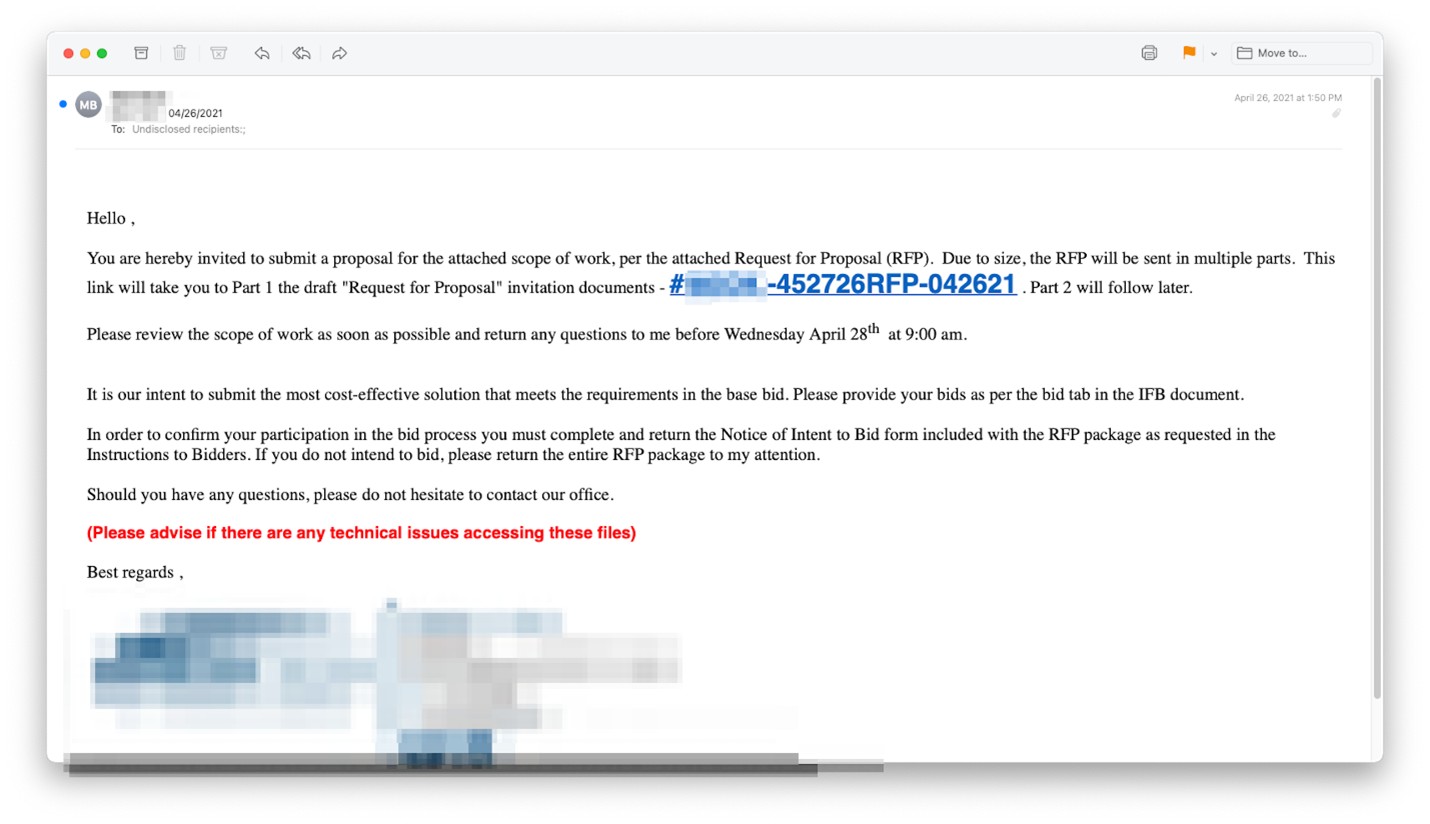
This email was pretty good-looking; that is, it did not contain any of the usual spelling, grammar, and usage mistakes that sometimes tip off the intended victim. This attack could be particularly pernicious, since it apparently comes from a known contact, seems to be serious, and has a slight (but not too intense) whiff of urgency about it.
Example #2
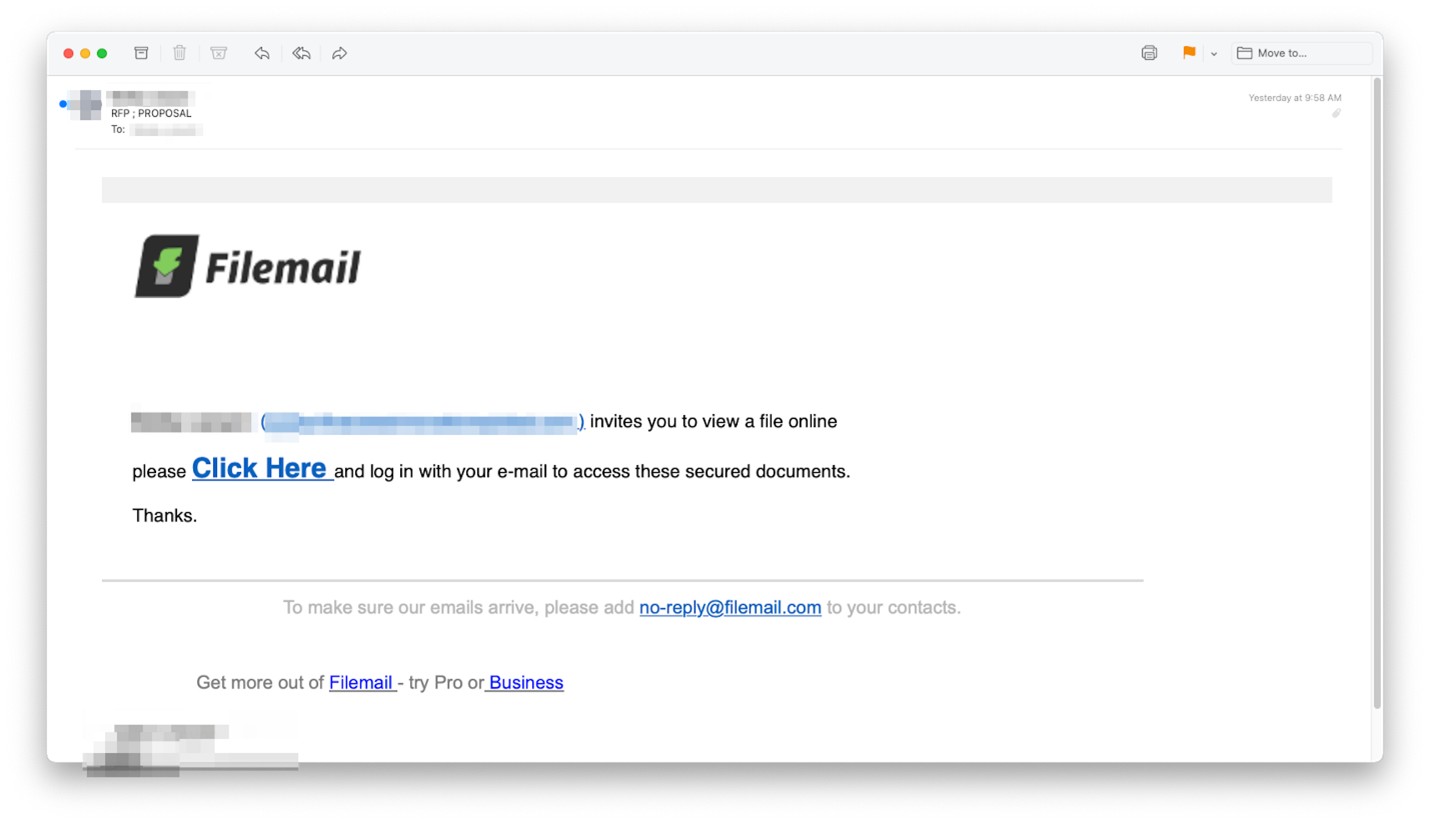
This attempt appeared to come from a free Filemail account, but in fact, the phisher has just thrown the Filemail logo into the email to make it look more convincing. The email came from a supplier of construction equipment, but the account had been hijacked. As in the other examples, the link led to Adobe Spark, and the goal was credential harvesting.
Example #3
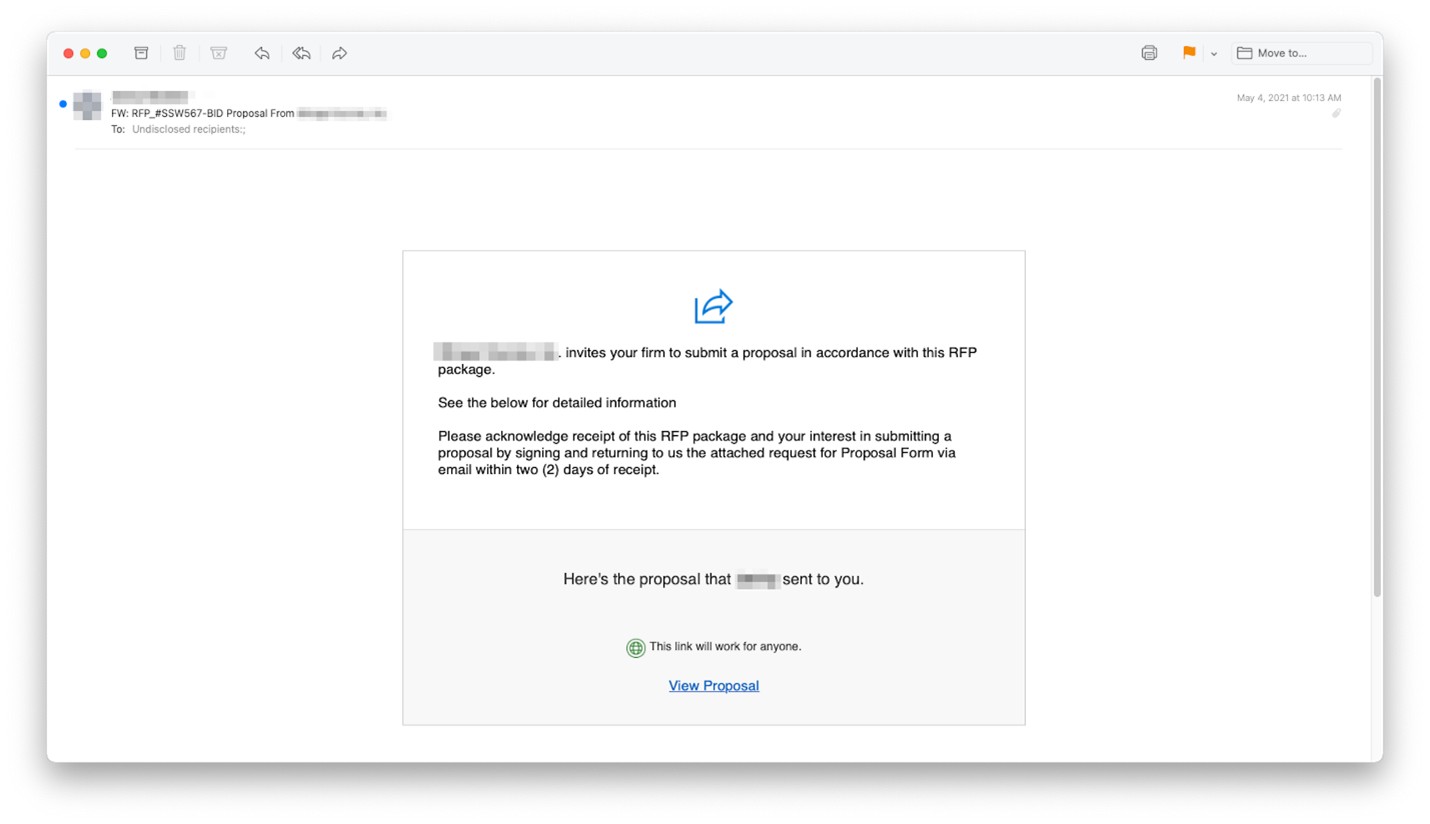
Again, the phisher did not make any usage errors in this foray. The pitch was clean, simple, and only mildly urgent. Under the View Proposal button, was a link that led to a booby-trapped Adobe Spark site.
Techniques
Phishers are constantly modifying their techniques. They do so because the white-hat community starts to catch up and put in place countermeasures that render existing techniques obsolete. What makes this particular formulation effective is that the emails were sent from known (but hijacked) accounts, quieting any first-time-sender alerts that might otherwise be triggered. Then, the link led to a legitimate (but compromised) website, putting any link analysis and malware detection off the scent. If the intended target got that far, they were highly likely to type in their email credentials, leading to the phisher hijacking their account and starting the whole cycle over again.
Recap of Techniques:
- Hijacked Known Sender — avoids detection as a first-time sender, passes DKIM and SPF tests
- Abused Free Website — evades URL analysis by traditional email security products
- Credential Harvesting — places a legitimate-looking login dialog box on a poisoned website; sends credentials to the phisher
- Trusted Logo Imagery — gains the confidence of target recipient, furthering the likelihood of a successful exploit
Recommendations
At the moment, most security products are unable to detect this type of exploit.
The only way to catch these phish for sure is to check with the company directly that they have sent you an RFP application. Also, be cautious with links in an email that require you to log into you a platform account.